
WebMenu
Self hosted embedded version of interactive Menu and Ordering system.

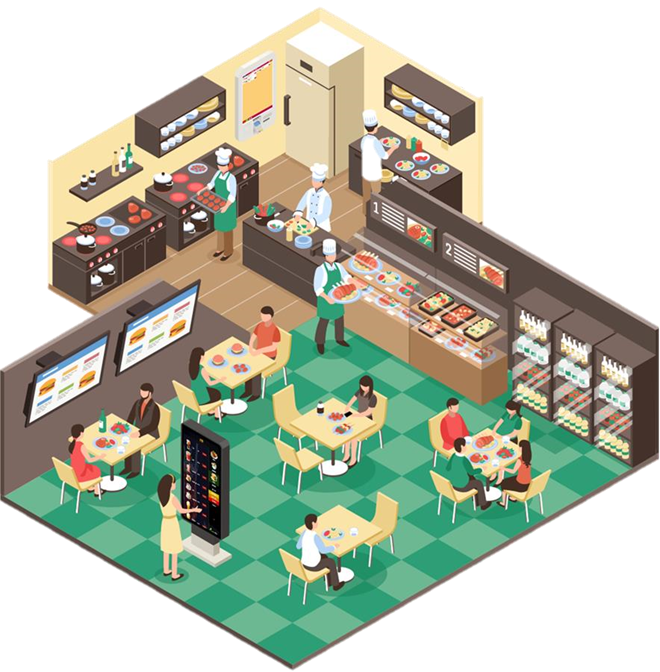
In 2021, the world was gripped by the pandemic, and I was at rock bottom. Financially drained, mentally exhausted, and reeling from 500+ failed pitches. Everything I touched seemed to crumble. Then, a question from a beverage distributor sparked a new idea: What could they offer customers as a loyalty reward? That question led me to create WebMenu, a scrappy, and yet to me seemingly obvious solution for sanitary, interactive restaurant menus. Despite pouring my heart into building an MVP, WebMenu, like many of my ideas, didn’t take off and another couple of months were wasted. But I believe it’s worth sharing, maybe someone out there will see its potential, so at the bottom of the post there is a link to the complete project.
The pitch was “With the increase of public health consciousness the need for more sanitary menus that were not touched by untold patrons arose. In addition to sanitary concerns updating a printed menu has always been the bane of HoReCa establishments.”
I was always perplexed how airport Wi-Fi seems to bypass how normal Wi-Fi should act, like opening a login page when connecting to the network without me actually opening the browser. I was perplexed but never really to the point of researching it. Then, while reading the documentation for ESP32 microcontroller I noticed a captive portal mode in its Wi-Fi stack. It turns out that the magic behind airport Wi-Fi.
A captive portal on an ESP32 is an access point behavior where any client that connects to the ESP32’s Wi-Fi is automatically redirected to a specific web page. No need to open a browser, just clicking on a Wi-Fi network opens up the page.
So, why not use that feature to remove a hurdle that web based menu systems have and that’s their cumbersome presentation, access, and lack of actual interaction? Most of them just show you a static page or even worse, a pdf.
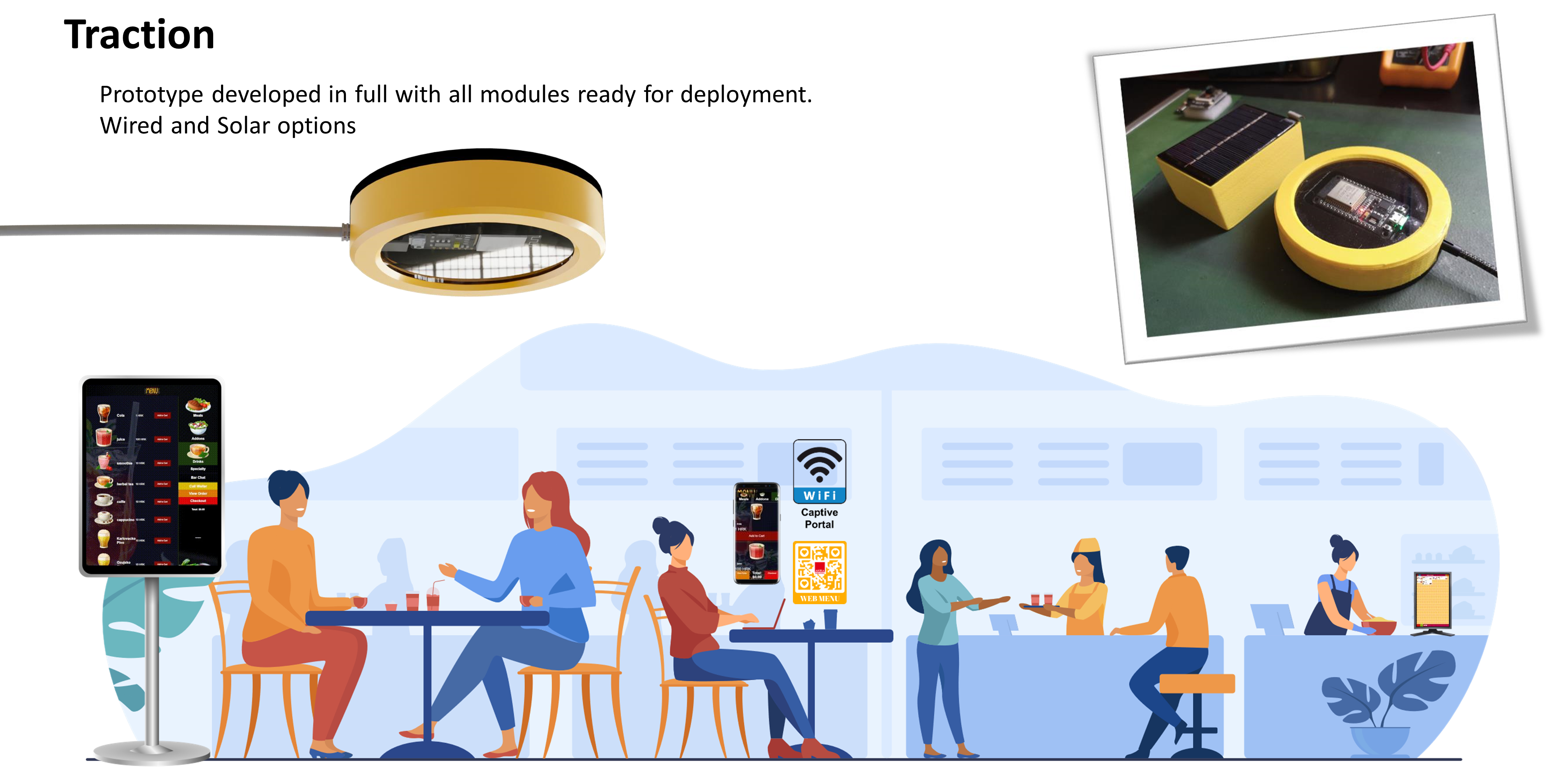
“WebMenu is a one-stop solution that combines modern web techniques and the best of System-on-a-Chip technologies. This fusion of technologies enables the use of a single codebase for mobile and large touchscreen apps making future updates easy. Also, with the use of SoC hardware, there is no need for additional offsite services.
No Hosting, No Web Server, No Storage, No Domain Name, No Software, No Database.”
Was the continuation of the pitch.
“WebMenu eliminates the friction of traditional digital menus. No apps to download, no URLs to type, and no clunky PDFs. The WebMenu creates a seamless experience. Connect to Wi-Fi, and the menu appears. It’s cost-effective, self-contained, and scalable, ideal for small restaurants or cafés looking to modernize without breaking the bank.”
Before I was going to spend time developing it I did some research on digital menus and there are many. Here are many online menu services that offer eMenus. Most are just a menu, with no interactions or ability to place an order. Well, at least of the time when I was doing this project. Things could have changed.
Here are some of the pricing for online menu services:
1. scanour.menu - Pricing: $25 to $45/month per location
2. Beaconstac - Pricing: $499 per year
3. Presto - Pricing: $780.00 one-time fee per user
4. Orderlina - Pricing: $99 per month
5. One2 Menu - Pricing: $299 per month
….
And they control the access and you would need internet access. Which is omnipresent but I like having “offline” capability.
As entire project uses ESP32 as a server and Wi-Fi Access point. Depending on the variant of the board it could have a minimal 2mb to 32mb of flash storage. That might sound like not that much storage but it’s surprising what you can cram into it if you watch your code and optimize images. After all, I’m a huge fan of demo coding.
Most of the images are SVG, but further compressed and made into SVGZ. Original ESPAsyncWebServer did not support SVGZ so I added that filetype to its recognized list.
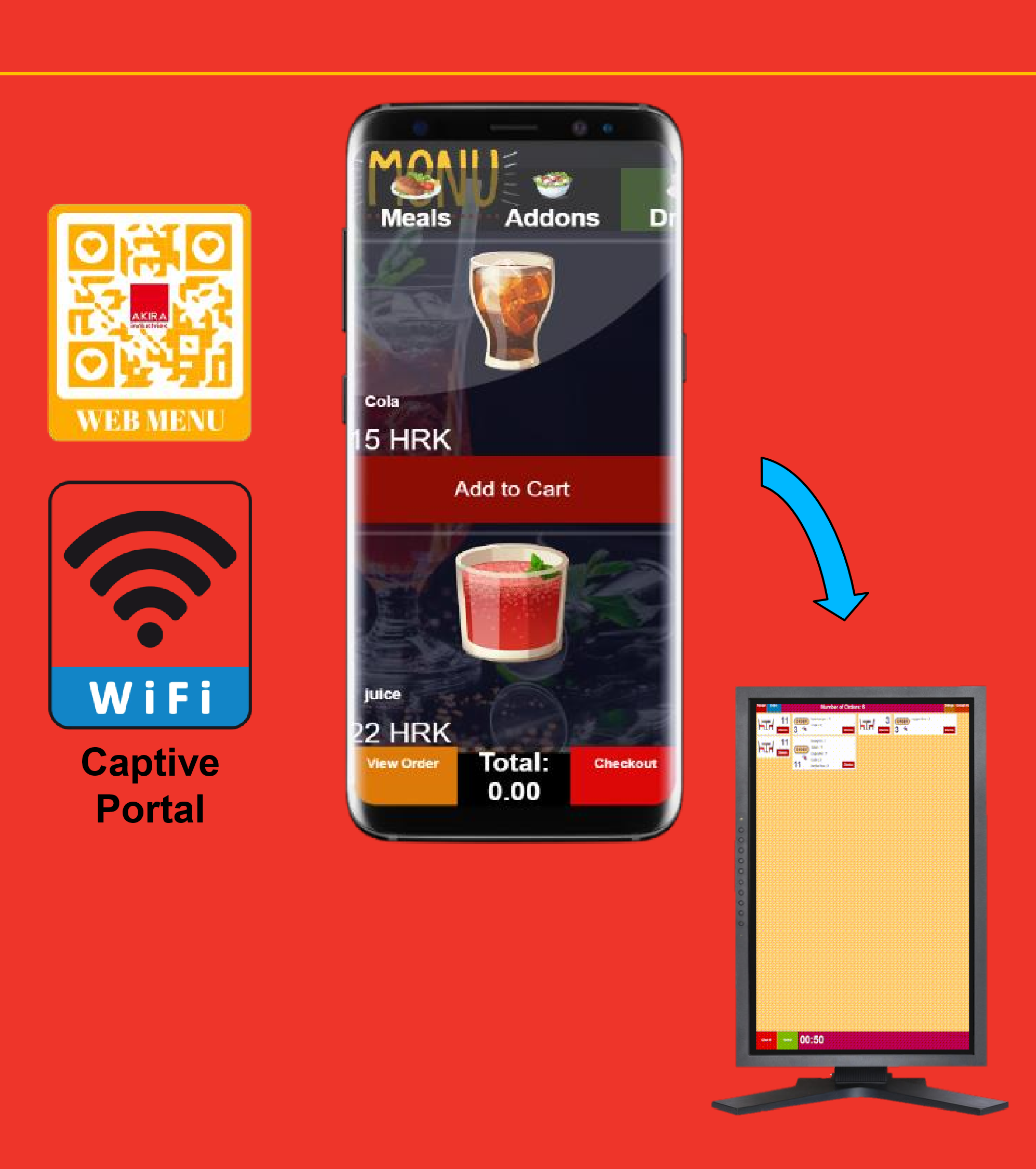
WebMenu consists of two software modules on the same device: “Menu” and “Kitchen” module. “Kitchen” module shows all requests, calls for a waiter, or orders that show the table number and individual items ordered. Users can access the menu in several different ways. On the Wi-Fi selection screen on customers’ smartphones a Wi-Fi network with the name of the hospitality establishment e.g. Starbucks-Menu will appear, After selecting the Wi-Fi, the customer is taken directly to the Menu without the need to load or do anything else. This is achieved by using a process called captive-portal. The menu can be also accessed by scanning a QR code that can start the process of connecting to the Wi-Fi access point.

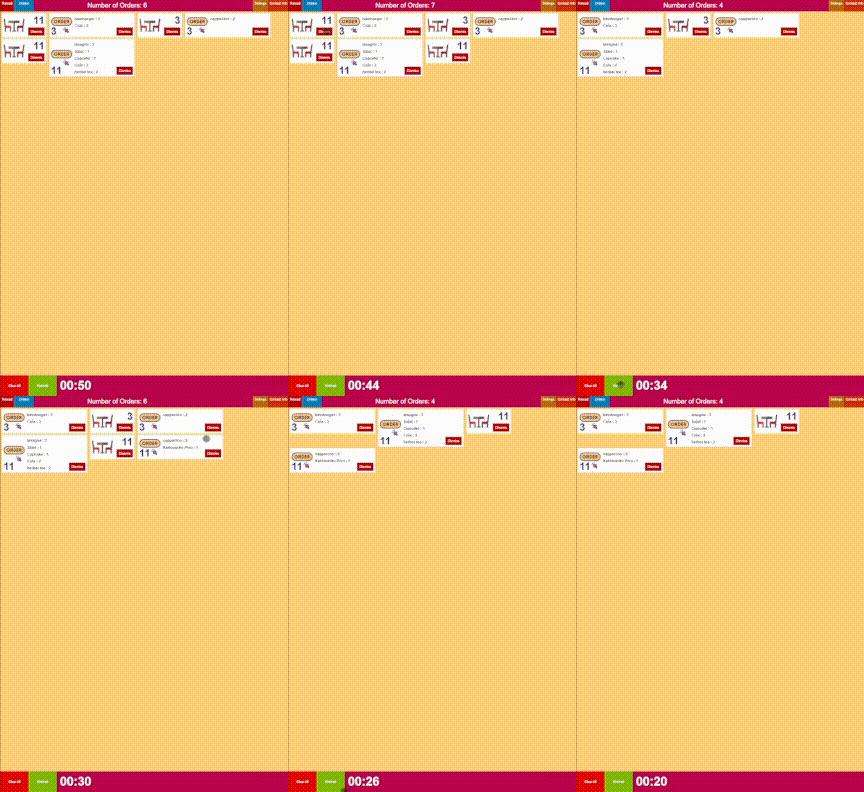
Everything is contained on a single ESP32. Users connect to it as does the staff. Staff has their own path like 192.168.1.170/orders.html. There is also a filemanager at filemanager.html for managing and uploading files to the device. Most functions are integrated into orders.html where staff can change menu prices, update the menu, and so on. There is no password for “Kitchen” module as that would have slowed down the development process but was planned for later implementation. As no such time came there is no password in place but that could be implemented. Customers are shown index.html. As mentioned, everything is self contained in one place.
As the menu is an interactive HTML and images are SVG the webpage could be loaded in a locked interactive kiosk and it would work as well.
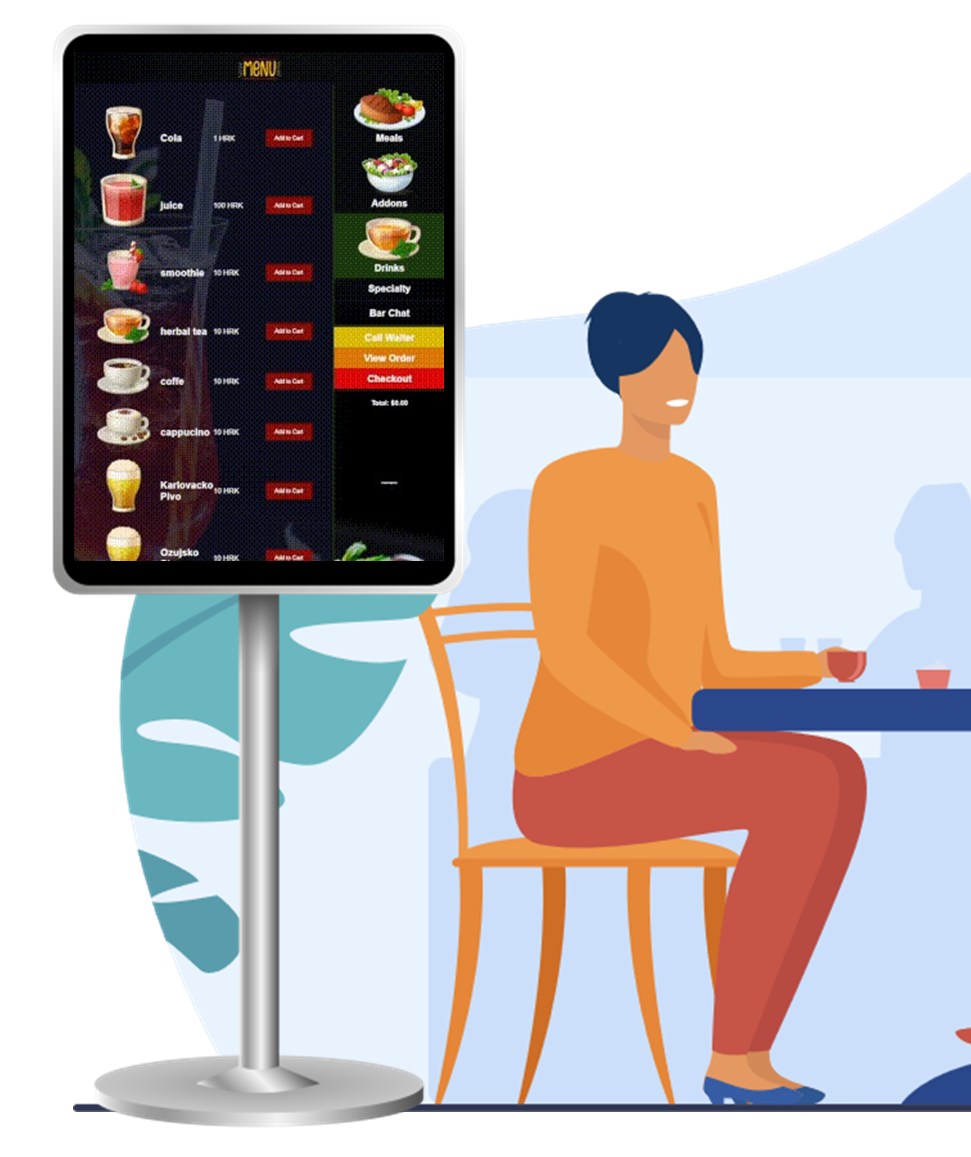
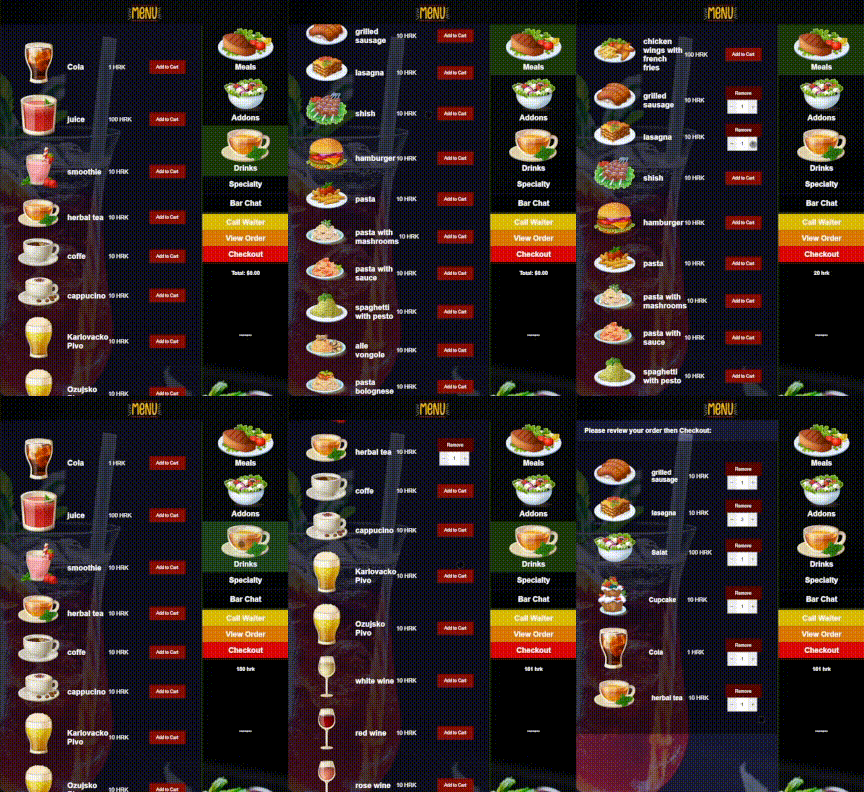
There are several issues with embedded implementation.
First is that everything is written and read from Flash storage which is not known for its longevity but the same principle could be adapted to work on any other Wi-Fi system including a laptop which in hindsight should have been the route to take but me being an embedded “enthusiast” that was the first thing I went for, and thus complicated the development. One of many mistakes.
Not all Wi-Fi adapters in laptops can make Captive Portal work. To check open command prompt and issue a command
$> netsh wlan show drivers
if Hosted network supported : Yes then you can create such a network if not, well there are always external dongles.
Second is that there could be a max of some 10 or so customers connected at one time. I did not see that as some big issue as the device was intended for bars and bistros and having 10 people look at the menu at the same time is slim and if that happens a refresh of the page would fix the issue.
I might actually revive this project and make a proper “computer” (laptop or small SoC like Raspberry Pi) version. It shouldn’t be that difficult to port this code to Python and Flask.
Until that time here is the full code for ESP32 Captive portal WebMenu as promised.