
Python script that Identifies tracks by AUDIO using Shazam
Stop Trusting Filenames: A Shazam-Powered MP3 Fixer That Actually Works

Recently, I had an issue.
I had a bunch of MP3 files that were misnamed and mislabeled, and I was trying to get them automatically renamed, as I had no intention of manually searching and renaming over 100 individual MP3s.
The recommendation was OneTagger. It has Shazam built in, but IT DID NOT WORK. It kept using nonexistent information from the filename, regardless of whether I forced Shazam use or not. Absolute garbage.
So I looked if Shazam has an API, and it turns out it does. Then I looked if there is already a Python package that provides an interface with that API, and there is. It’s called shazamIO.
So I did what any proficient user of computers does when a tool he needs does not exist. I made my own.
It is a Python script that uses shazamIO to identify all music in a given folder and rename them to “Artist - Title - Album.mp3” or “Artist - Title.mp3”, tag it, and add cover art if one exists.
The completed script can be found on GitHub under pythonShazzam. There is also an exe file included, so you don’t need to install modules to run the script.
If you want Python version to run, you will need to run
pip install shazamio aiohttp mutagen requests termcolor colorama
Usage:
python music.py <path to Unsorted music> --recurse --verbose
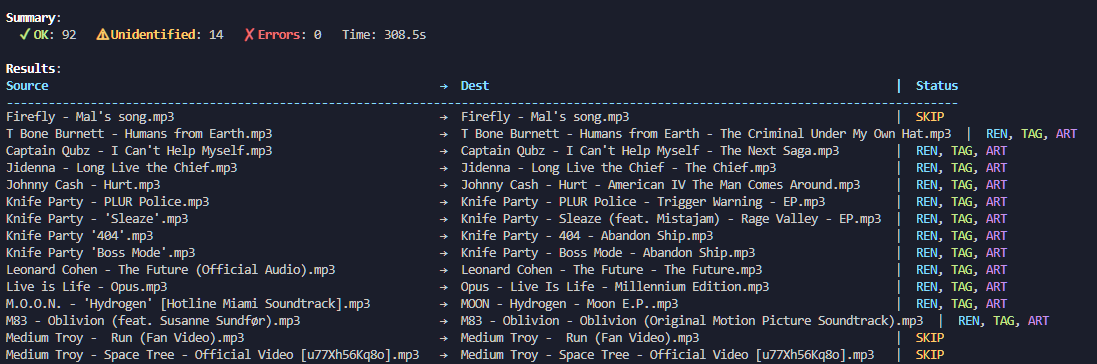
The core of the approach is simple. Each file is fed to shazamio’s recognition routine, which returns a structured payload containing the track title, artist, album metadata when available, and image URLs for artwork. That result drives the entire pipeline. If Shazam recognizes the recording, the script writes ID3 v2.3 tags via Mutagen, embeds the cover image as an APIC frame, and renames the file to a consistent, library friendly format: Artist - Title - Album.mp3. If there’s no album in the response, it falls back to Artist - Title.mp3. If Shazam can’t recognize the audio, the script leaves the file untouched and marks it as skipped, which means it won’t ruin anything that isn’t confidently identified.
To check the results, I use Foobar2000 player.
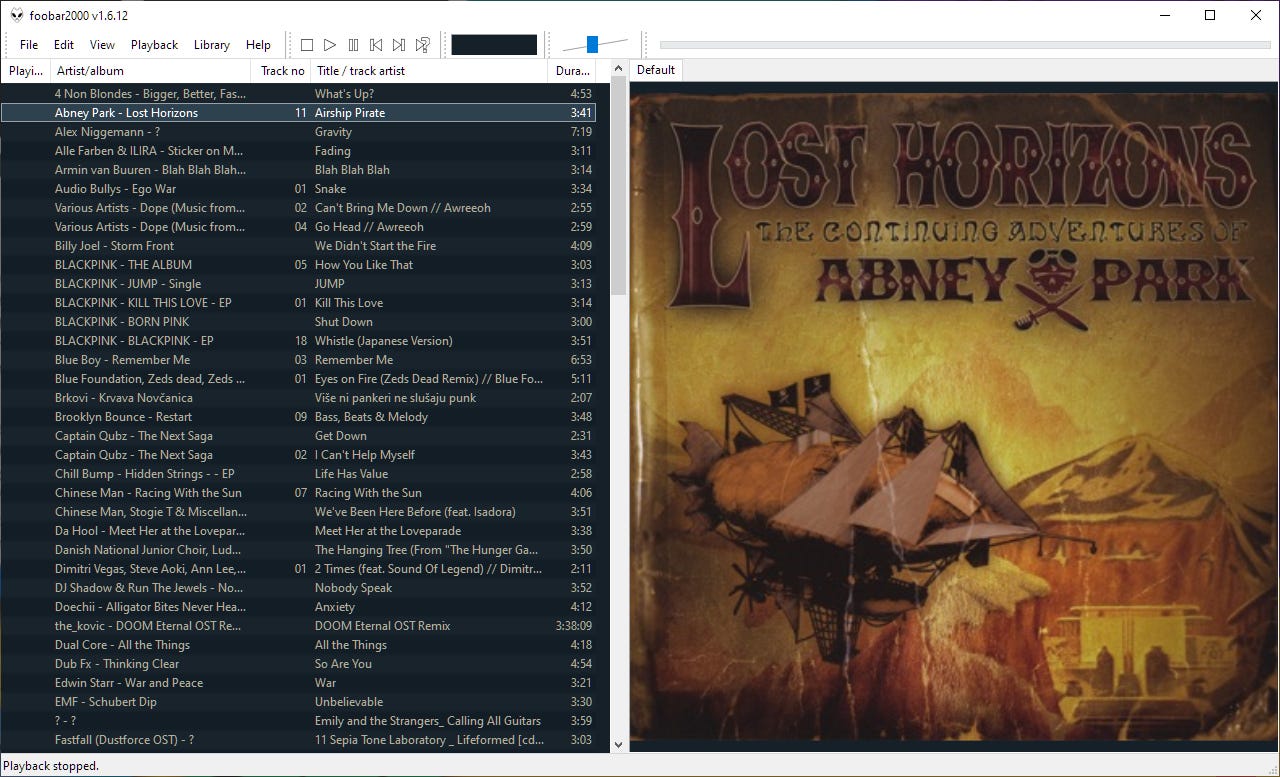
Saving as ID3 v2.3 keeps older players happy while retaining modern compatibility. Artwork is embedded into the MP3 itself, so nothing relies on sidecar files that inevitably get separated from the audio. If Shazam reports a high-res cover, it goes straight into the file; if it doesn’t, the track still gets clean text metadata and a correct name.
Safety rails are built in. There’s a dry-run mode that prints exactly what would happen without touching a byte on disk, and a verbose mode that surfaces all intermediate decisions, including what Shazam returned and whether a cover image was available.
There are limits, and they’re sensible. Recognition depends on Shazam’s models, so extremely obscure live bootlegs and damaged rips may not match. Some tracks won’t have album metadata in the response, and the script won’t fabricate an album name to satisfy a rigid template; it will rename with what’s true and leave the rest alone. If your taste runs into deep DJ edits and private remixes, expect a mix of wins and honest skips.
After I made this script, I remembered MediaMonkey media manager. I used it years ago, but did not have a good experience, maybe it was too powerful, so I found it confusing. Regardless, I now have this script that does what I need, and I needed auto renamed/tagger that would know what it renames.