
NTFSeach
How I wished Windows search looked and acted, so I made it.

There is a specific kind of frustration that every Windows user knows very well. You need one file, you remember part of its name, and the search box becomes a small waiting room. You type, pause, type again, you wait, and wait some more. Even when the delay is short, that stop-and-go rhythm breaks concentration. What if local file search behaved like a command palette instead of a background service trying to solve every search problem at once?
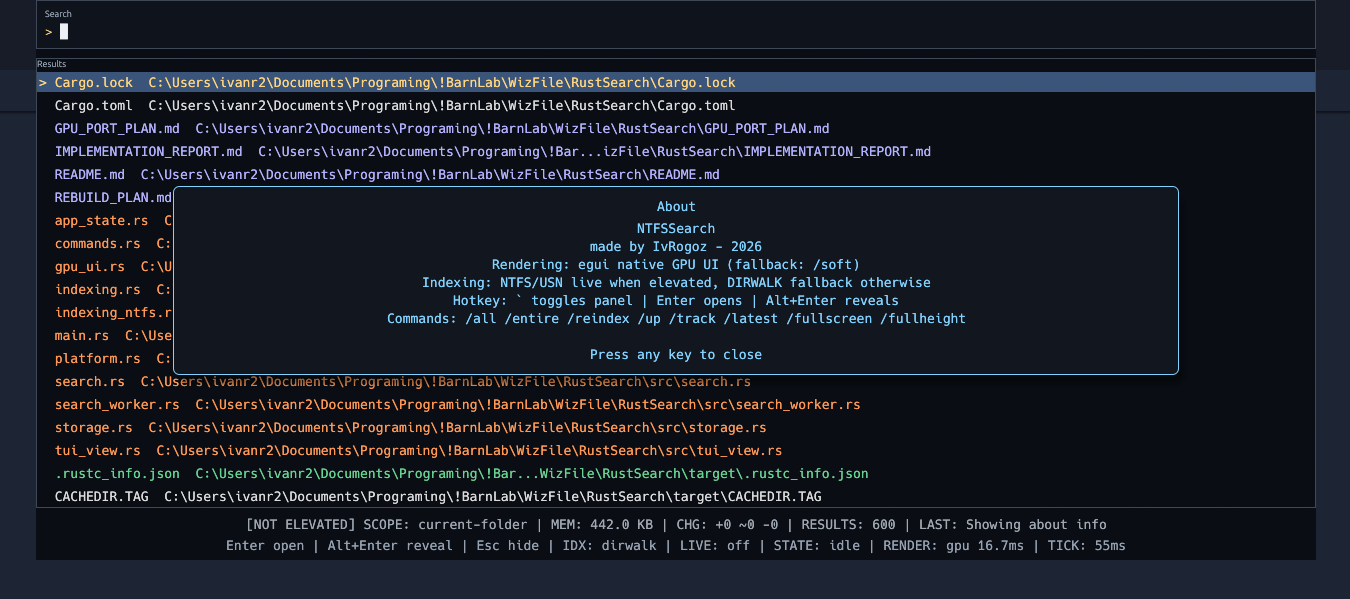
The project is inspired by the directness of tools such as WizFile and Everything, but it is implemented as a native Rust tray app with a keyboard-first overlay workflow. The user presses a global hotkey, the panel appears, and the interaction is immediate (after initial drive scan): type, narrow, open, done. The app is intentionally optimized around this one loop.
Windows Search is broad by design. It supports many data types and system surfaces, handles content extraction, metadata pipelines, enterprise policy boundaries, and a range of indexing strategies. That flexibility is valuable, but it comes with overhead. Some of that overhead appears as background work, some as storage latency, and some as variability when system load changes. The result is that perceived speed can be inconsistent, especially for the simple task of finding a file by name and opening it quickly.
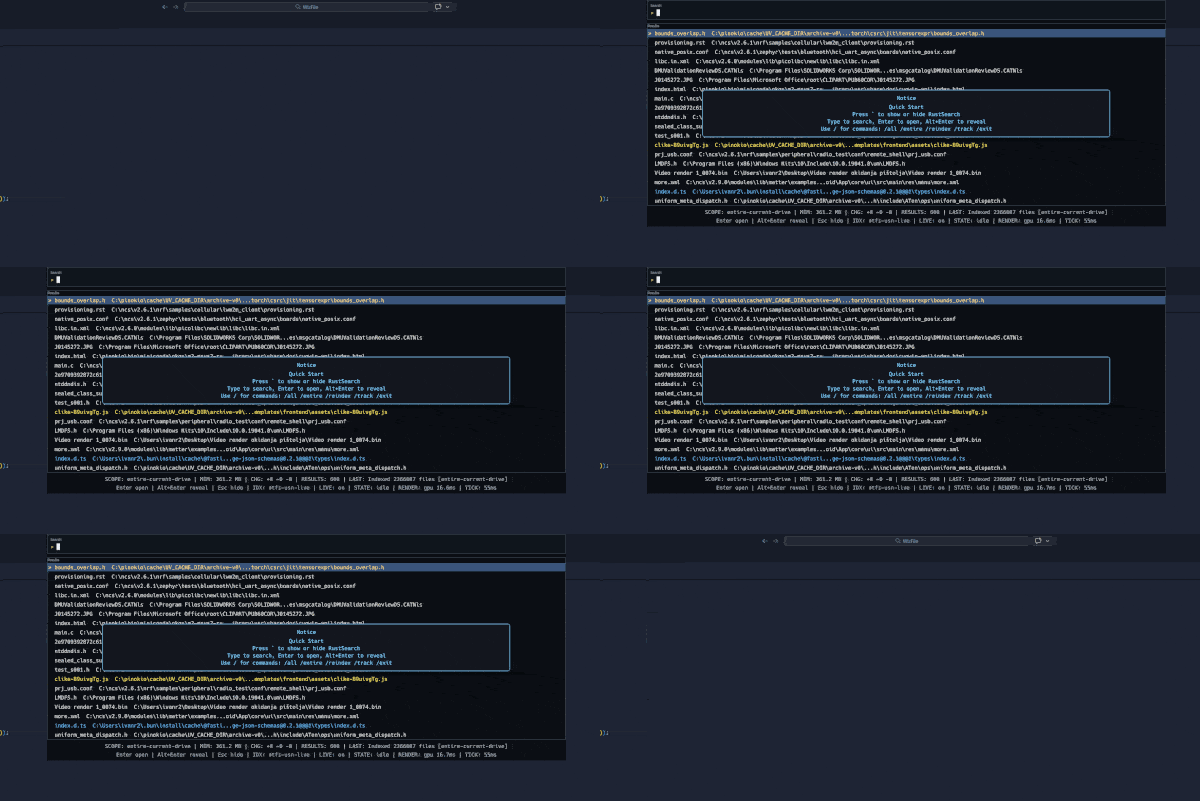
I took the opposite stance. When I do search, I search for the filename, not the content. Instead of doing broad work on every query, let’s keep a compact in-memory view of files. A search query is then mostly a memory operation. This change makes it feel snappy and typically makes the UI feel more stable while typing.
On Windows, NTFSeach search relies on NTFS metadata and USN journal replay for incremental freshness. NTFS already stores a structured catalog of files and directories in the Master File Table, where each entry has stable identity and relationship data such as file reference, parent reference, names, and core attributes. The USN journal is a rolling change log that records what happened after a checkpoint, including creates, deletes, renames, moves, and metadata updates. In practical terms, the app can establish a baseline state from metadata and then apply only changed records over time. This is important because the update cost tracks filesystem churn rather than the entire drive size.
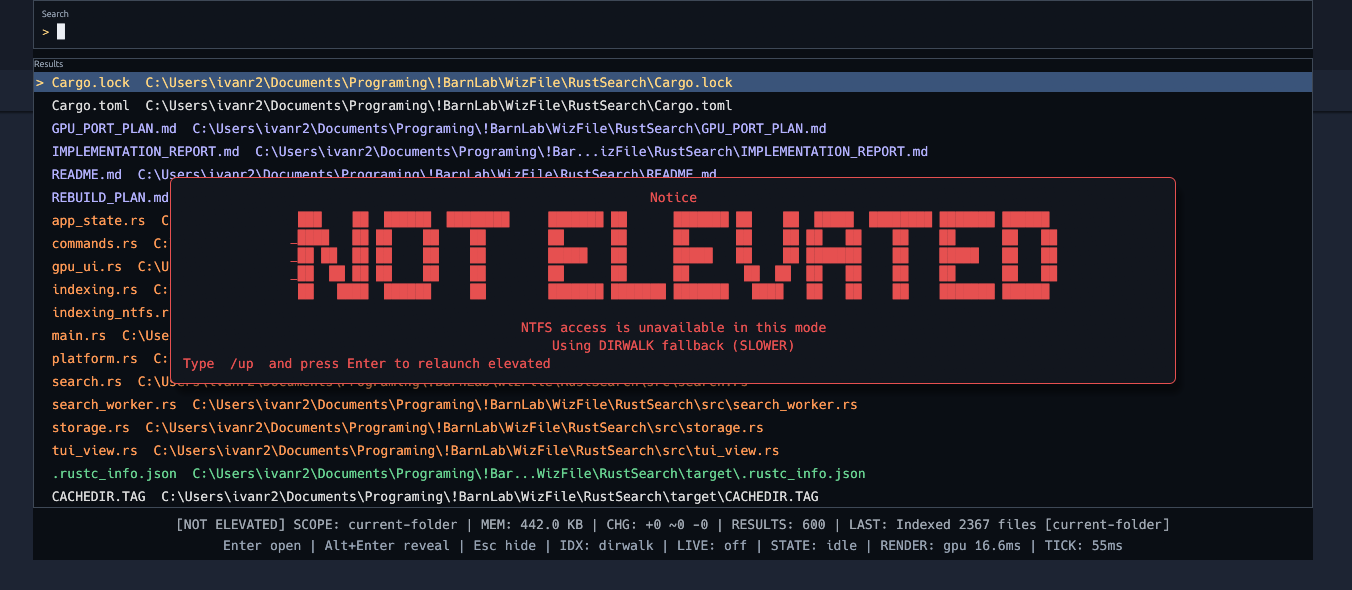
This kind of search is only available if the user starts NTFSeach via admin privileges, but there is a command in NTFSeach ‘/up’ to restart the app with a request for elevated privileges. When elevated access is not available, the app still works through a directory walk fallback, but is much slower.
Direct access to the NTFS catalog is why scanning millions of filenames can finish in seconds on modern hardware. The app is not opening two million files and not reading the content of two million files. It is reading compact filesystem metadata records in bulk from the volume, which is dramatically cheaper than per file traversal through normal path APIs. Bulk metadata access reduces syscall overhead and avoids content I/O. The result is that the baseline pass can ingest very large file sets quickly, after which search is served from in-memory structures rather than disk walks.
After that first pass, the USN journal keeps the index fresh with delta replay instead of full rescans. Each journal record maps to a narrow mutation in the in-memory model, so create, delete, and rename events update only affected entries. That keeps steady-state work bounded and makes responsiveness stable even when the total file count is large.
I wanted the UI to reflect the need for speed. Query execution is debounced, in-flight searches are cancelled while typing continues, and only the newest request is rendered. That means the interface avoids wasting time finishing work the user no longer needs. Navigation also stays keyboard-first with straightforward controls for moving selection, opening files, revealing paths, and dismissing the panel.
One distinctive part of NTFSeach is its slash command workflow. Commands are entered directly in the same input where the search happens, so scope management and control operations do not require opening a separate settings surface.
NTFSeach is not attempting to replace every use case of Windows Search, especially content-heavy, policy rich, or enterprise discovery scenarios. It is built for the moment when a user knows roughly what they want, wants it now, and prefers keyboard interaction over navigation through Explorer windows.
As always, the entire code and release executable can be found on BarnLab’s GitHub repository.
Any feedback or issues would be greatly appreciated.