
Direct Win32 API, Weird-Shaped Windows, and Why They Mostly Disappeared

I’m fed up with generic looking apps. Today, all Windows desktop apps look the same as they are the same; they are all built on crap React, Electron, electronbun, and Tauri browser wrappers that mimic the real Desktop apps. They run slow, take a shit load of memory, basically bloatware. Notepad is a freaking basic NOTE taking app, not a Word replacement, calculator is a calculator, not a NASA moon mission planner. Somewhere along the way, Microsoft has lost the plot. It’s like they have given up and gave the reins to a bunch of web developers who have no concept of optimization.

A freaking notepad app takes almost 50mb in memory when equivalent NOTEPAD done in pure Win32 C takes 1.8mb of memory. It doesn’t look like 50mb is that much in today’s world, but that’s the point, mb by mb it all adds up. I recently got a brand new Intel Ultra 9 285 with 32 GB of RAM, and it’s freaking memory is 77% full when freaking Windows 11 starts up.
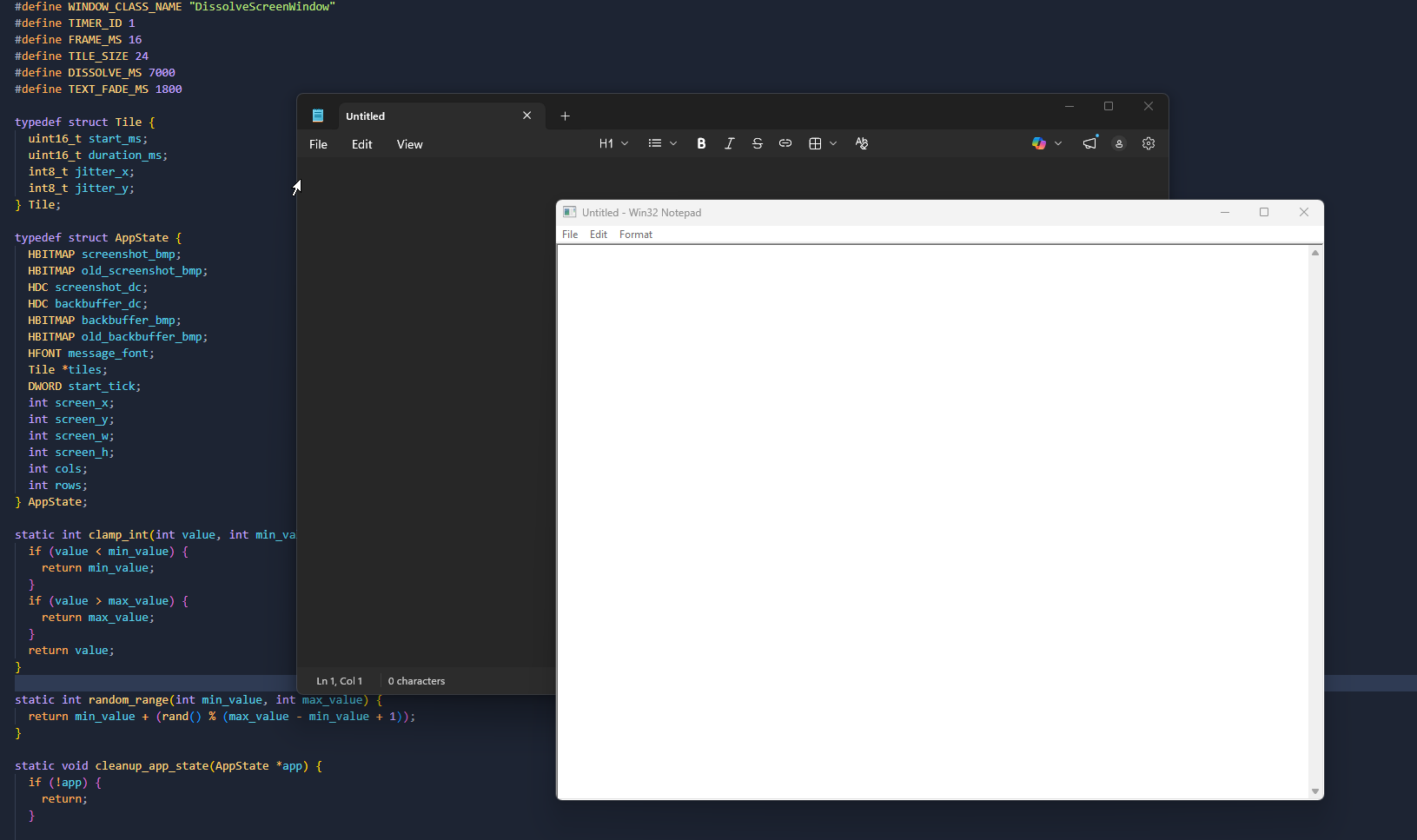
Programming with Win32 API is a lost art now, and I look longingly at how Windows apps were once programmed. It was messy, but it gave you complete control.
Most modern UI programming tries to hide the operating system from you. You are stuck with a rectangular box while there was a period in the Windows XP era when it was cool to have non standard application window, even Windows Media Player had it.
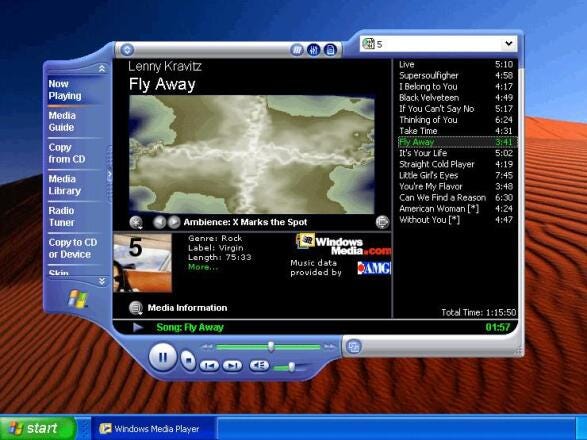
Not everything had to be a bland, rounded rectangle with a sidebar, a settings cog, and a web stack squatting underneath it. There was a period when Windows apps were allowed to look strange. Media players looked like hardware. Desktop mascots walked around your screen. Utility panels looked like dashboards, toys, radios, or little alien control consoles. A window did not have to be a rectangle just because the operating system started you with one.
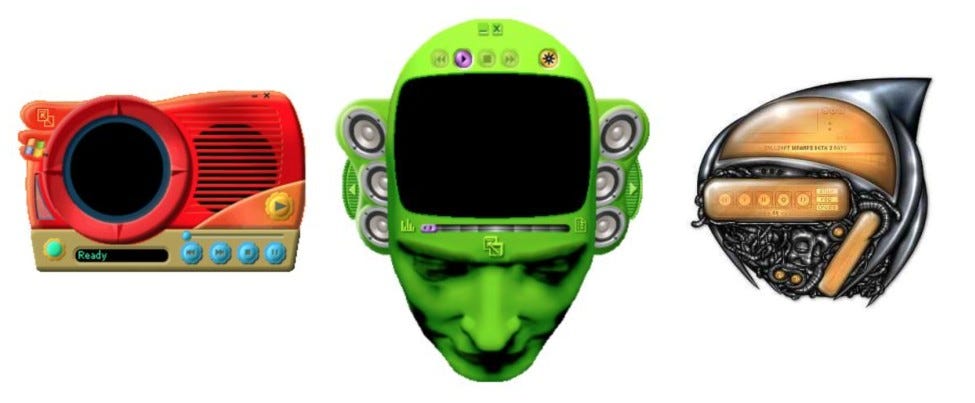
The point was usually not usability. It was identity.
That is the part modern desktop UI mostly lost. Not because Windows cannot do it anymore, but because most people no longer program at the level where the window itself is something they control.
The GitHub repository of this post is a small reminder that Win32 still lets you do exactly that. One example makes a window elliptical. Another shapes it from a bitmap. The third turns the whole thing into an animated desktop mascot. None of it requires a giant framework. It just requires dealing with Windows directly.
The first thing that confuses people if they come from games, browsers, or modern UI frameworks is that Win32 does not revolve around an update loop you own. It revolves around messages. Your app sits there, and Windows keeps handing it events:
while (GetMessage(&msg, NULL, 0, 0) > 0) {
TranslateMessage(&msg);
DispatchMessage(&msg);
}
That loop is the contract. Windows says something happened, and your window procedure decides what that means. “WM_CREATE” means the window is being created. “WM_PAINT” means it needs to be redrawn. “WM_SIZE” means its client area changed. “WM_DESTROY” means it is done. That is the real shape of Win32 programming: you build behavior one message at a time.
And once you understand that, weird-shaped windows stop feeling mysterious.
A normal top-level window is rectangular, but Windows also has the idea of a region object, an “HRGN”. If you assign a region to a window with “SetWindowRgn”, only that part counts as the actual window. The rest disappears, both visually and interactively. That is the trick.
The simplest version is the one in “basic/main.c”. It creates a borderless window and then does this:
region = CreateEllipticRgn(0, 0, rc.right, rc.bottom);
SetWindowRgn(hwnd, region, TRUE);
That is enough to turn the window into an oval. Not a fake oval painted inside a rectangular frame, but an actual oval HWND. The sample also handles the practical bit people forget: once you remove the title bar, the system is no longer going to drag the window for you. So on “WM_LBUTTONDOWN”, it fakes a title-bar drag by sending “WM_NCLBUTTONDOWN” with “HTCAPTION”.
That little detail is the whole story of custom windows in miniature. Making the shape is easy. Replacing what the normal frame used to do for free is the real work.
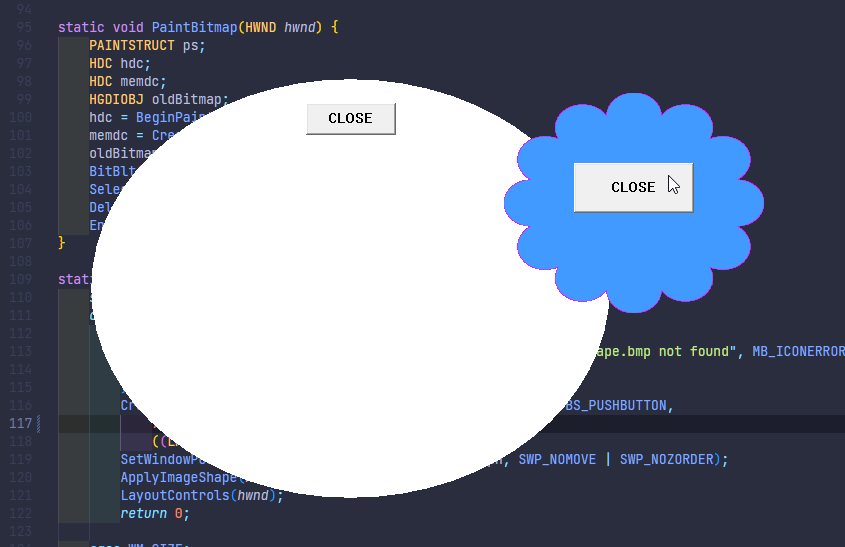
The next sample is where it gets more interesting. Instead of defining the shape mathematically, “drivenbyimage/main.c” derives it from bitmap data. It loads “shape.bmp”, reads the pixels with “GetDIBits”, then scans the image row by row. Every horizontal run of non-transparent pixels becomes a tiny rectangle region, and those runs are combined into one final window region.
#define TRANSPARENT_COLOR RGB(255, 0, 255)
Magenta means empty space. Everything else becomes part of the window.
That means the bitmap is doing two jobs at once. First, it is the thing you paint in “WM_PAINT”. Second, it is the shape of the actual window. That is how a lot of old skinned apps worked. You were not limited to circles, rounded corners, or neat vector geometry. If the image looked like a dog, a spaceship, a stereo, or a cartoon face, the window could be that shape too.
This is the part that made old desktop software fun. The window frame stopped being a law of nature and became just another asset.
But bitmap-driven regions still have a hard edge. A pixel is either in or out. That is perfect for silhouettes and cutout UI, but if you want soft edges, translucent pixels, or animation, you need to move to layered windows.
That is what the “Animated/” example does. I found a nice sprite sheet of an animated 8bit dog on itch from the artist inmenus, who gave that art to Creative Commons. So thank you for that.
Instead of carving the window out of a region, the example creates a “WS_EX_LAYERED” popup and uploads a 32-bit alpha image into it with “UpdateLayeredWindow”. The sample uses a sprite sheet, advances frames on a timer, draws into a memory bitmap with GDI+, and then pushes the result to the desktop. At that point, you are not really saying “my window is an ellipse” or “my window matches this mask.” You are saying “my window is whatever these pixels are right now.”
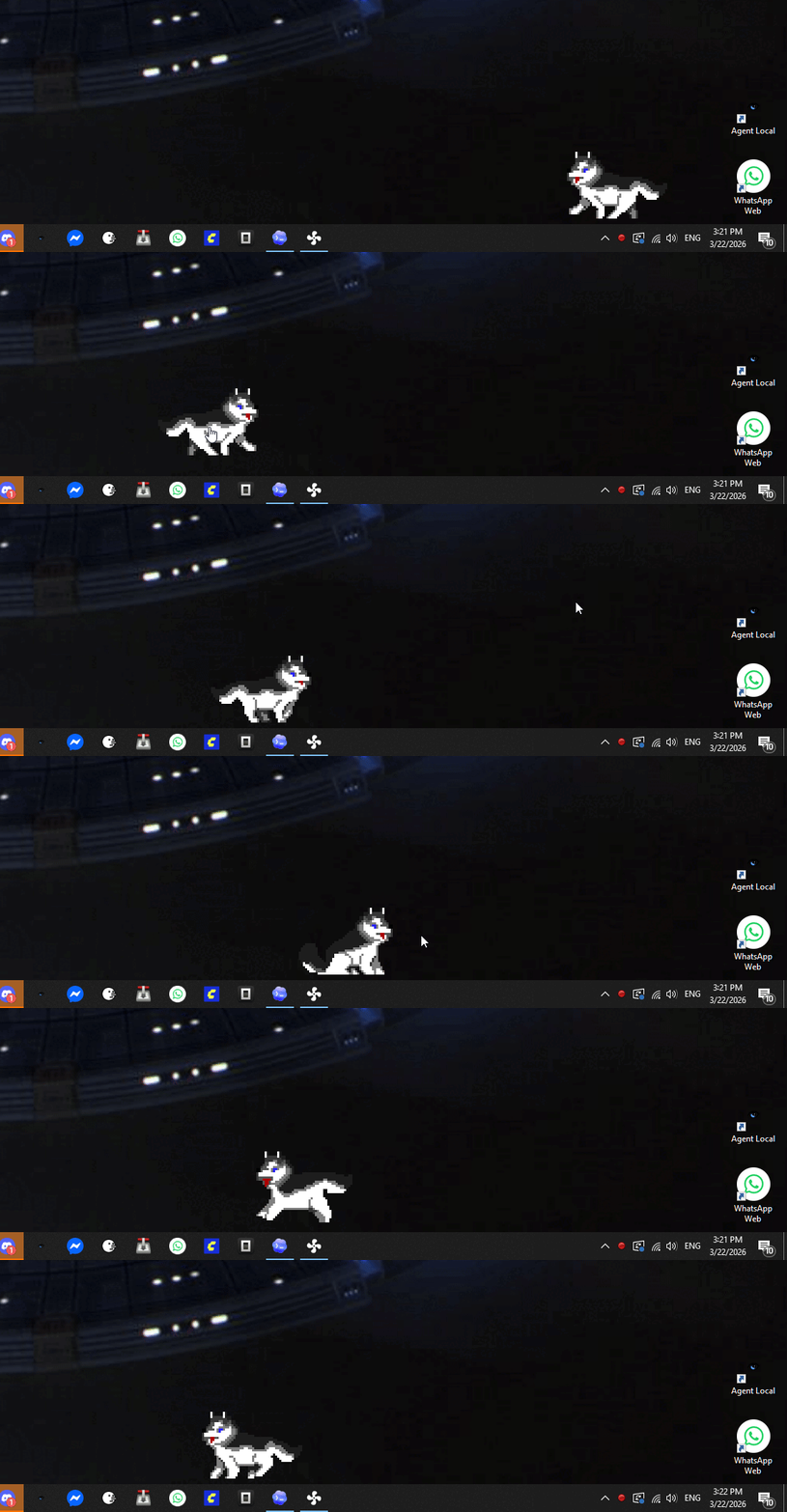
An animated mascot works better as a layered window because you get per-pixel alpha, cleaner edges, proper transparency, and freedom to change the visible shape every frame.
But there is an issue with Win32 API programming. And the truth is that custom windows mean doing everything yourself, controlling every Windows message, and that is fragile.
The awkward part begins the moment you decide to throw away the normal frame. Then you own dragging, resizing, close behavior, hit testing, keyboard handling, repaint correctness, DPI handling, and every annoying little edge case the default window had already solved decades ago. That is why weird shaped windows are easy to prototype and expensive to polish.
Users do not usually reward that effort unless the result is genuinely exceptional.
Desktop UI culture shifted from “look at this crazy skin” to “work reliably and get out of my way.” Weird windows became associated with gimmicks, adware, toolbars, and bloated utilities more often than with serious software. Which is a shame.
Still, I like that this stuff exists. It reminds you that Windows was once a platform where software could have a physical presence, not just a page layout inside a disguised browser tab. Most of the time, a normal rectangular window is the right answer. But it is good to remember that it is a choice, not a law.
The nice thing about Win32 is that it does not try to talk you out of any of this. It just gives you the messages, the handles, the drawing APIs, and enough rope to build something interesting.
Code can be found in the GitHub repository of this post.
We can still go back to writing UIs that are condensed and structured well as, for instance, the SysInternal tools are. Maybe using LLMs we can avoid writing all the boilerplate and concentrate on writing the business layer. I, for instance, would love these kinds of clean and compact UIs back on my desktop.
There was a guy who did GUI apps in assembly in the before times... tiny, tiny apps. Like demoscene but for desktop. Steve Gibson?
https://www.grc.com/smgassembly.htm